How to obtain a burner wallet as the intermediary wallet
The Filecoin ecosystem includes various types of addresses, such as f0, f1, f2, f3, and f410 (or 0x). Some wallets, like Metamask, only support 0x addresses, while certain exchanges recognize only f1 addresses. Due to these differences, some wallets or exchanges may not recognize specific address types as valid Filecoin destinations. In such cases, an intermediary wallet may be needed to act as a bridge.
This guide explains how to create a burner wallet as an intermediary wallet with an f1 address, which you can use as a middle point to transfer your FIL from your main wallet to its final destination. Other than a burner wallet, you can also choose an intermediary wallet to obtain a Ledger wallet or FilSnap wallet.
Step-by-step guide
To obtain a Burner wallet, you will need to:
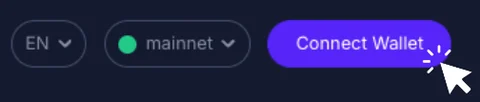
- Visit the GLIF website and click “Connect Wallet” in the top right corner.
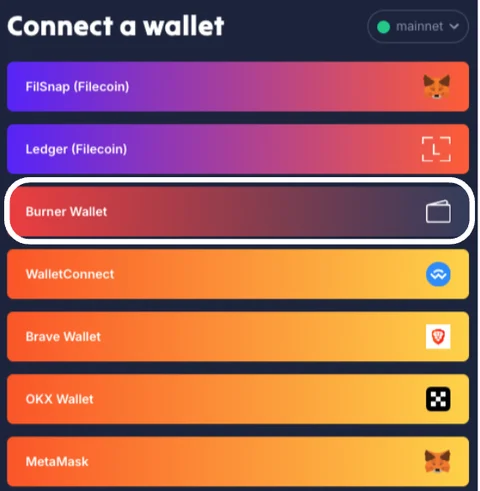
- Select “Burner Wallet” from the options.
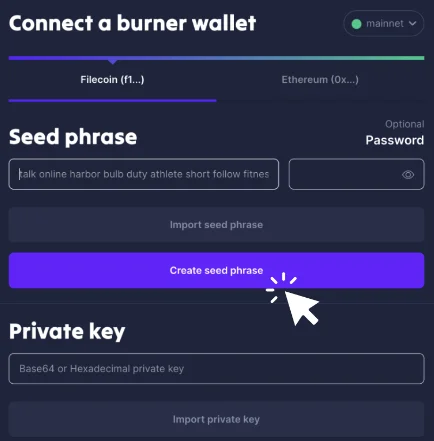
- Choose “Filecoin (f1...)” as the address type. Click “Create Seed Phrase” to generate a new 24-word seed phrase.
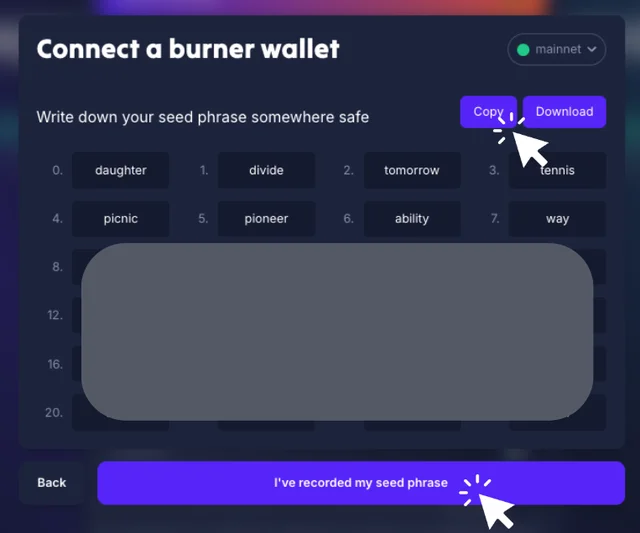
- Click “Copy” and save the seed phrase in a safe place, as it will be used to regain access to the burner wallet if you get disconnected. Then, click “I've recorded my seed phrase.”
- Then, you are required to type in several words from your seed phrase to double-check your record of the seed phrase. Finally, click “Connect.”
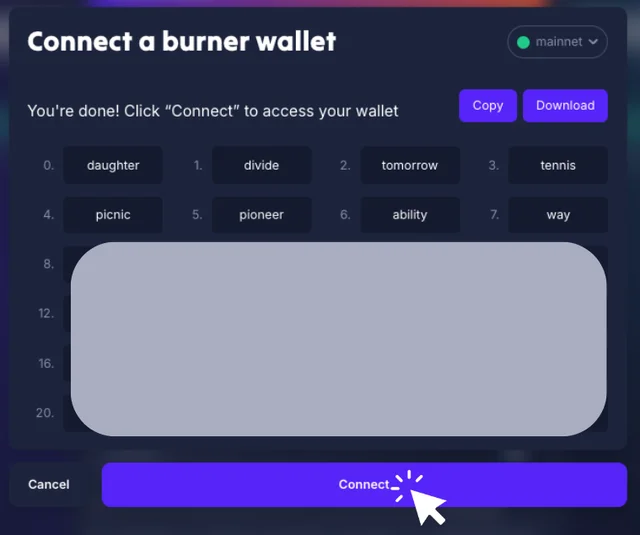
- After connecting, you will see your burner wallet's f1 and 0x addresses.
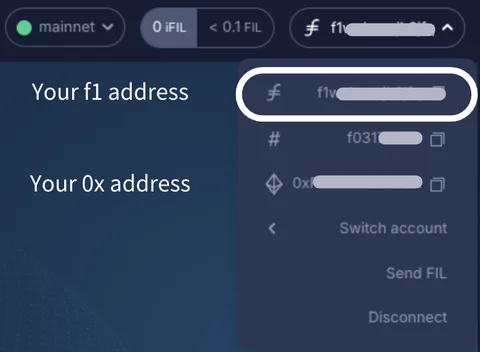
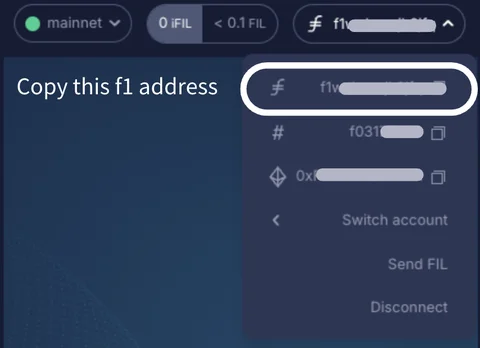
- Copy the burner wallet's f1 address for later use.
TIP
It is highly recommended to disconnect and reconnect your newly created burner wallet before transferring any FIL to ensure you understand how to access it in the future, minimizing the risk of losing access to your funds.
Conclusion
Congrats! You have obtained a burner wallet as an intermediary wallet with an f1 address.
Remember to keep your seed phrase safe and private, and always perform a test transaction before sending a large amount!
Join our community!
- 📢 Stay informed with updates on our blog and X (Twitter)
- 🤝 Connect with us through Discord and Telegram for support and partnerships
- 💬 If you encounter any difficulties, please open a Discord support ticket
- ⚠️ Beware of scammers! GLIF team members have the role “GLIF” or “Moderator”