How to claim cash back from GLIF+ SP Card
This tutorial explains how storage providers can claim FIL rewards from the cash back balance after paying interest. The cash back program is an efficient way for storage providers to lower borrowing costs. After each interest payment, the protocol swaps your $GLF into FIL at a premium determined by your tier. Up to 10% of each interest payment can be redeemed with $GLF, with Gold members receiving up to a +25% premium.
For more information about the different tiers and how GLIF+ Cards benefit you, see this page.
For other tutorials on managing your GLIF+ SP Card, see this page.
NOTE
You can also add or withdraw funds in your GLIF+ cash back vault using the GLIF Command Line Interface (CLI). To do so, upgrade to the latest release. You can find the instructions about the GLIF+ related command on the GLIF CLI on this page.
Step-by-step Guide
- Before claiming cash back, you must first pay the interest you owe. You do not need to pay the full amount of interest you owe.
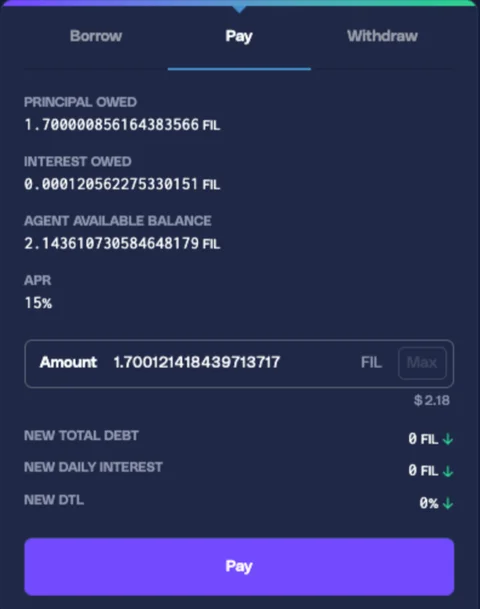
- The amount of cash back rewards you receive depends on the amount of interest paid, the cash back percentage you set, and your tier. You can check these parameters in your Loyalty Card summary.
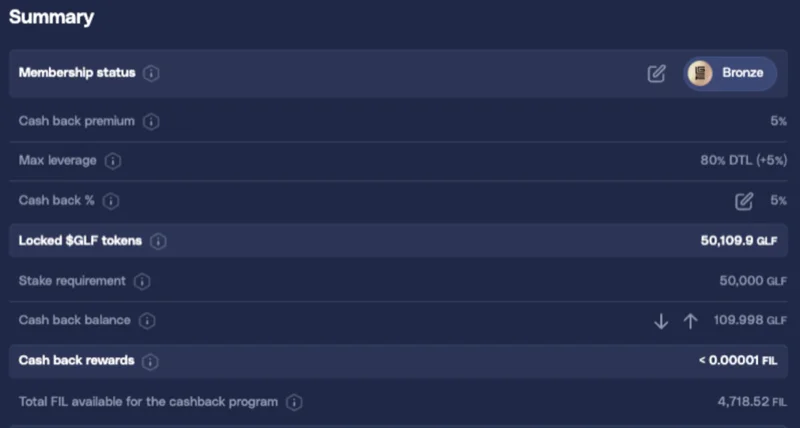
NOTE
Check this tutorial for how to adjust the cash back percentage, and this tutorial for adding funds to your cash back vault.
-
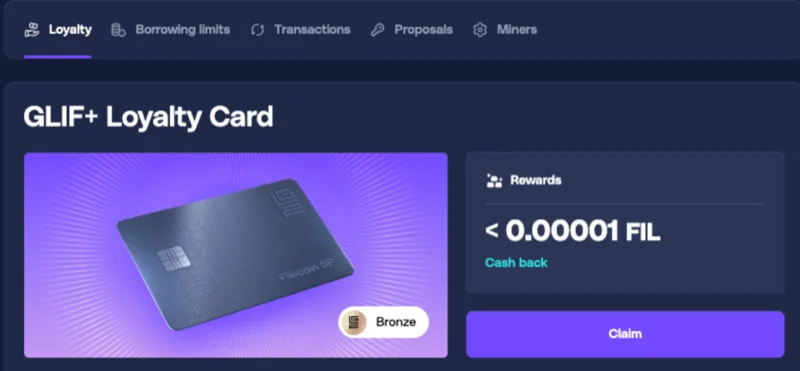
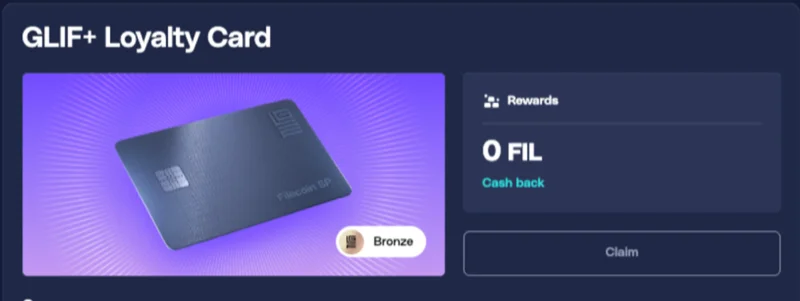
After paying the interest, go to your Loyalty Card page. You will see the available reward FIL amount displayed.
-
Click 'Claim'.
-
Select the recipient address where the reward FIL should be sent.
-
Click 'Send'.
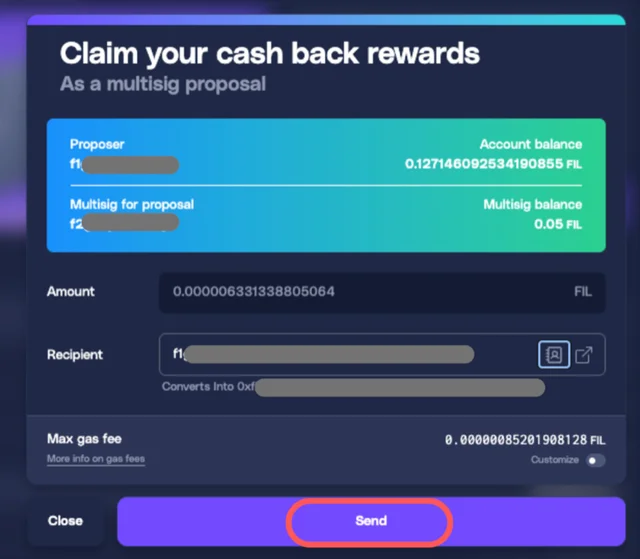
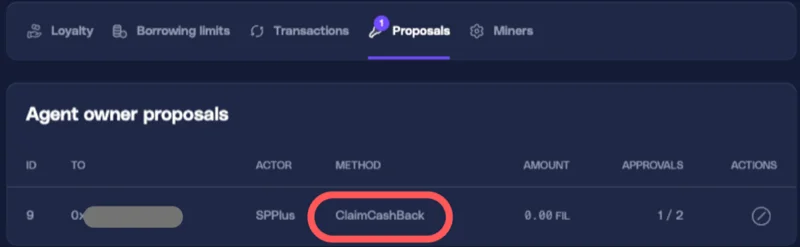
- A 'ClaimCashBack' proposal will be created automatically.
-
Connect each signer and approve the proposal. All signers must approve the proposal for it to be executed.
-
After the transaction is processed, the $GLF amount in your cash back balance vault will decrease and the reward FIL will be sent to the selected recipient address. Once the claim is completed, the cash back reward balance will reset to zero.
Conclusion
Your cash back rewards have been successfully claimed.
You may want to check out the other tutorials to learn more about managing your GLIF+ SP Card.
Join our community!
- 📢 Stay informed with updates on our blog and X (Twitter)
- 🤝 Connect with us through Discord and Telegram for support and partnerships
- 💬 If you encounter any difficulties, please open a Discord support ticket
- ⚠️ Beware of scammers! GLIF team members have the role “GLIF” or “Moderator”