GLIF Agent Website Tutorial Part 6 - Withdraw Rewards / Cash Advance
If you don't understand the basics of GLIF Agents, Agent owners, or how to create your Agent on the GLIF website, we suggest starting with Part 1 and Part 2 of this tutorial series. You can find all the tutorials about using Agents on the GLIF website on this page. You can find the instructions about the Agent's command on the GLIF Command Line Interface on this page.
Before You Begin
In the previous parts of this tutorial series, you have created or completed the following:
- Your Agent Owner multisig wallet (Part 1 & Part 2)
- Your Agent smart contract (Part 1 & Part 2)
- Adding your miner to the Agent (Part 3)
- Borrowing FIL from GLIF (Part 4)
- Moving FIL from Miner to Agent and back (Part 5)
Sometimes you may need FIL to pay for gas or to sell on exchanges to pay for fiat denominated bills. In this case, you will want to withdraw funds off your Agent, and out of the GLIF Pool. In this part of the tutorial, we will guide you through this process using the GLIF website interface.
You can do this when you meet the DTL requirement on your Agent - to read more about the DTL, see our docs.
Step 1: Initiate Withdraw Proposal
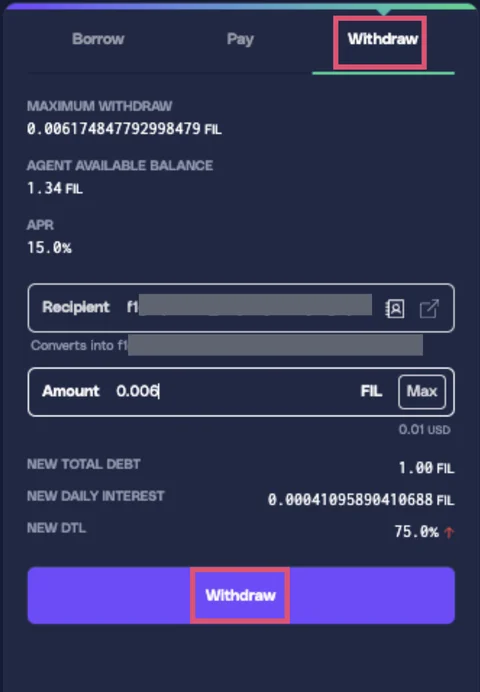
- Navigate to the right-side panel on your Agent page. Click the “Withdraw” tab.
- Enter the recipient address and the amount to withdraw.
WARNING
The maximum withdrawal amount is displayed here and depends on your DTL. See docs for details.
- Click “Withdraw.”
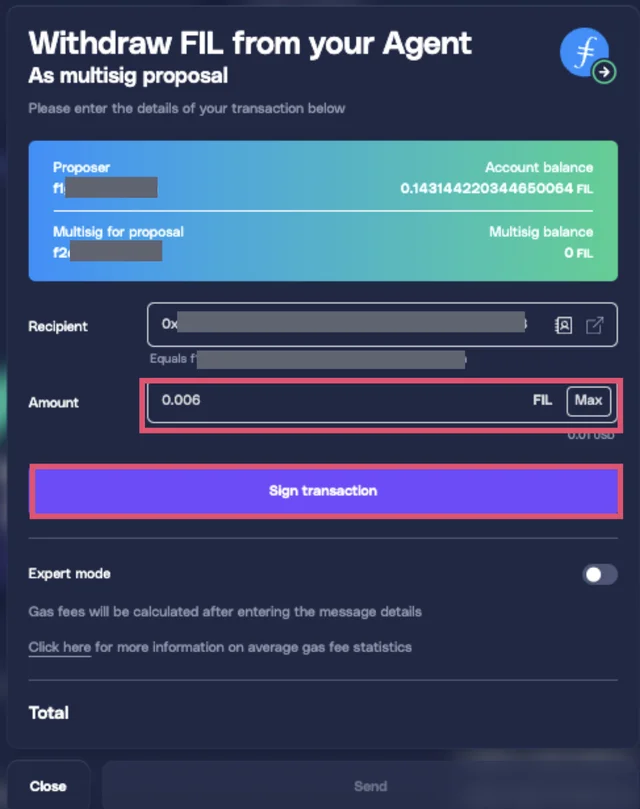
- Review the details and click “Sign Transaction.”
WARNING
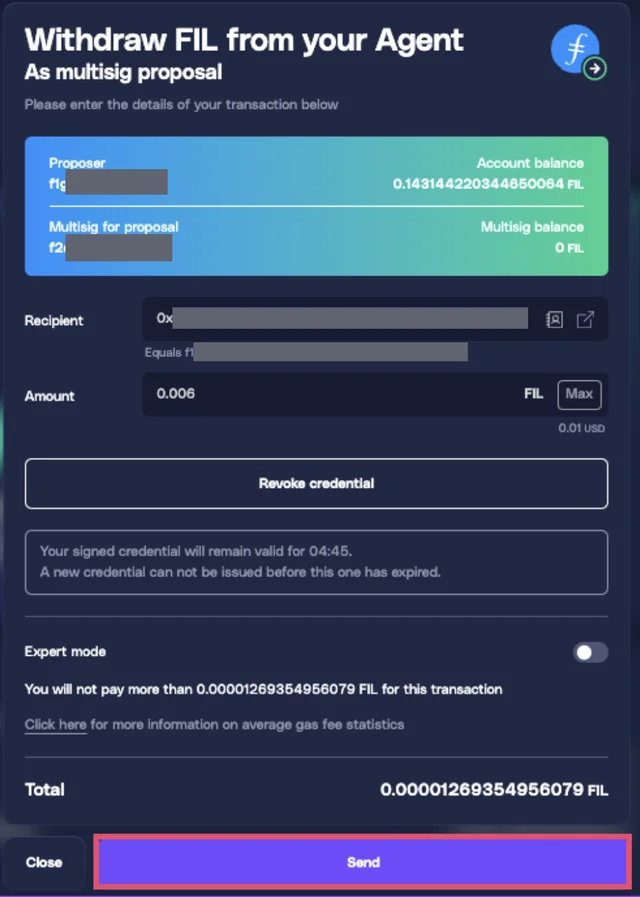
Credentials are valid for only 5 minutes. If you see the error “AgentPolice: Invalid Credential”, it means the credentials have expired, so please start over.
- Click “Send” and approve the transaction in your wallet.
- Wait for the transaction to complete. A “Withdraw” proposal will appear in the “Agent Owner Proposals” section.

Step 2: Approve the Proposal
- Connect to another approver wallet from your Agent's owner multisig wallet.
- Navigate to the “Agent Owner Proposals” section and find the “Withdraw” proposal.
- Click “Approve Proposal”
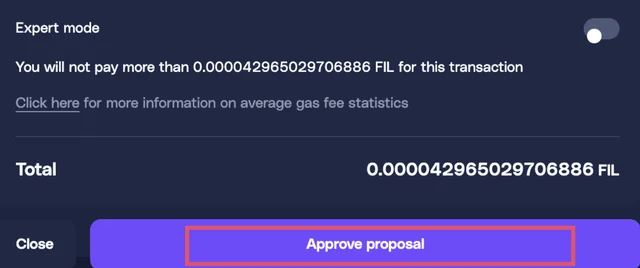
- Confirm the transaction in your wallet.
- Wait for the transaction to complete (1–2 minutes). The FIL will be sent to the recipient wallet.
Congratulations!
You've successfully withdrawn funds from your Agent!
Next Steps:
In Part 7 of this tutorial, we will show you how to remove a miner from an Agent.
Join our community!
- 📢 Stay informed with updates on our blog and X (Twitter)
- 🤝 Connect with us through Discord and Telegram for support and partnerships
- 💬 If you encounter any difficulties, please open a Discord support ticket
- ⚠️ Beware of scammers! GLIF team members have the role “GLIF” or “Moderator”