Withdraw FIL from GLIF
This tutorial will guide you through the process of using your iFIL tokens to withdraw FIL from GLIF. Withdrawing FIL from GLIF requires 2 transactions.
NOTE
To learn more about the mechanics of withdrawals, click here.
Step 1: Connect your wallet to GLIF
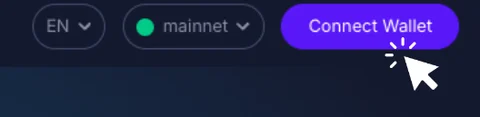
- Visit the GLIF website and click on “Connect Wallet” in the top right corner.
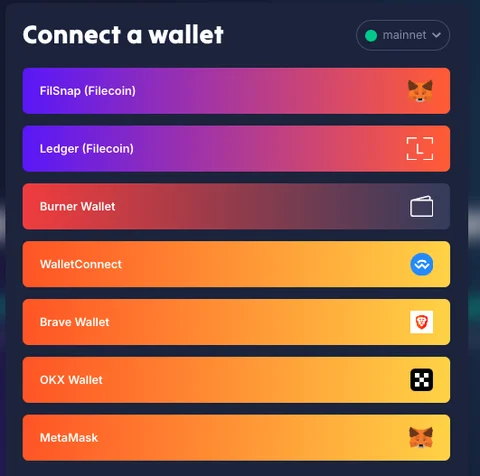
- Click on the option to connect your wallet with iFIL.
Step 2: Go to the “Pool” page
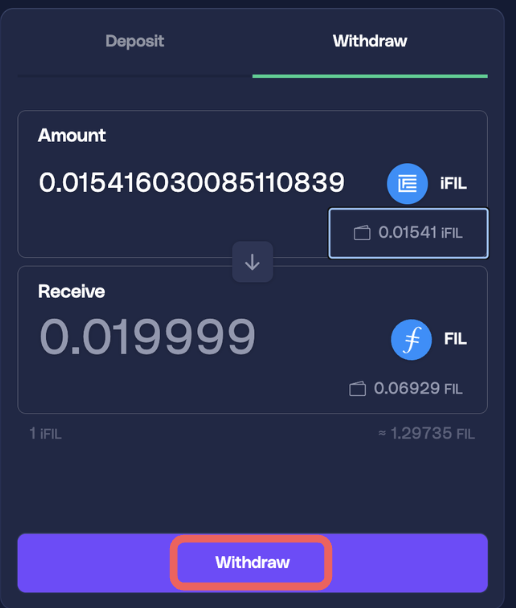
- Within the “Pool” section, find the “Withdraw” option.
- Enter the amount of iFIL you want to redeem, and the corresponding amount of FIL to receive will be displayed. Read more about iFIL here.
- Click “Withdraw”.
Step 3: Submit transaction 1 of 2 - approve GLIF pool to transfer
The GLIF smart contract needs permission to spend your iFIL Tokens to process the withdrawal.
- Click “Approve”.
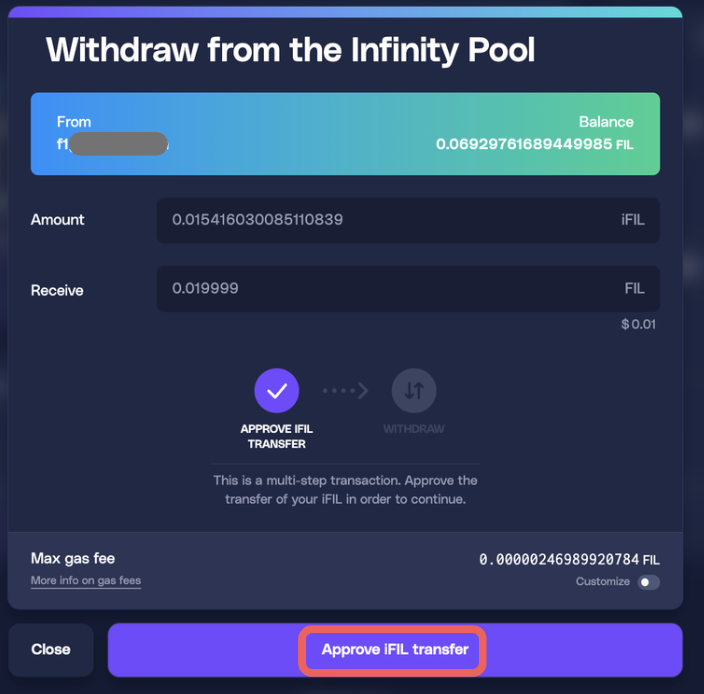
- Click “Confirm” in your wallet.
Step 4: Submit transaction 2 of 2 - Withdraw FIL
- After the approval transaction succeeds, you can proceed with the withdrawal - click “Withdraw”.
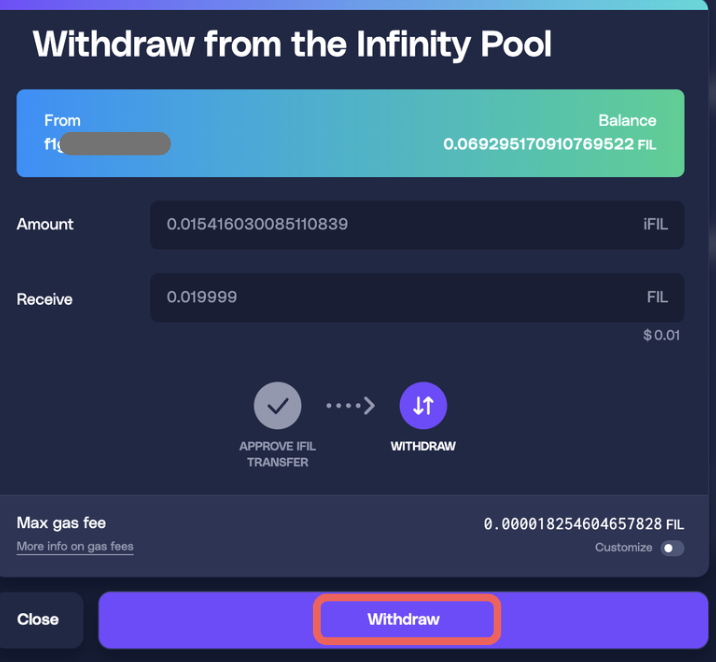
- Click “Confirm” in your wallet.
Step 5: Check your FIL balance
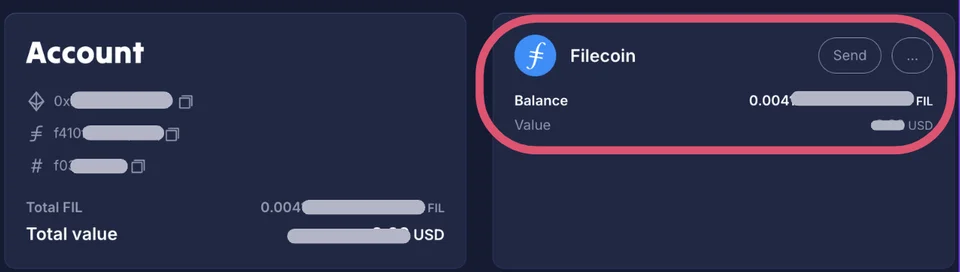
After withdrawing FIL, your wallet's FIL balance will increase by the amount of FIL withdrawn. For a more detailed view of your position, click on “Wallet”:

You will be able to see the FIL and iFIL balance in your wallet in the “Account” tab.
Conclusion
Finally, you have successfully withdrawn your FIL from GLIF!
Join our community!
- 📢 Stay informed with updates on our blog and X (Twitter)
- 🤝 Connect with us through Discord and Telegram for support and partnerships
- 💬 If you encounter any difficulties, please open a Discord support ticket
- ⚠️ Beware of scammers! GLIF team members have the role “GLIF” or “Moderator”