How to mint your GLIF+ LP Card
This tutorial explains how to mint and activate a GLIF+ LP Card by depositing iFIL and GLF. Minting a Card allows you to participate in the GLIF+ program and receive in-protocol benefits by staking a mix of $GLF and iFIL. If you would like to learn more about the benefits of minting a GLIF+ Card, you can check this page.
If you are using a multisig wallet, check this tutorial for a step by step guide.
Step 1: Start the minting process
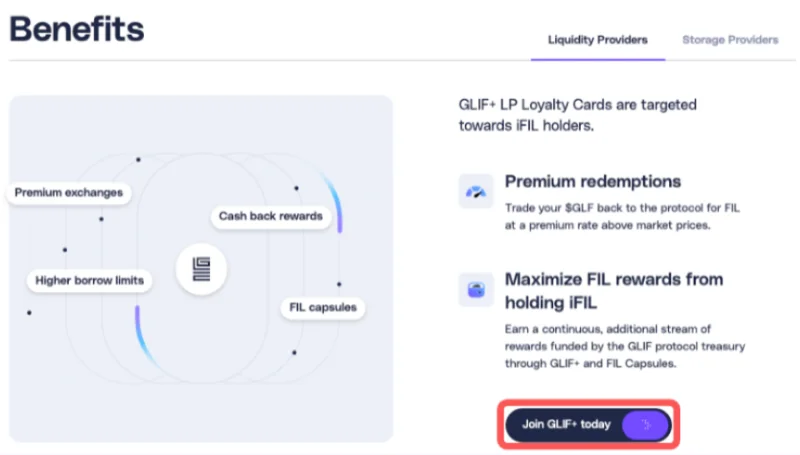
- Go to the Loyalty page and click 'Join GLIF+ Today', or open your Wallet page and click 'Mint Today'.
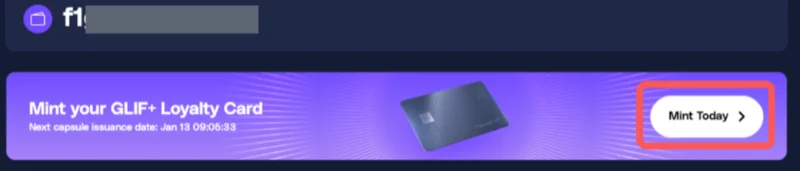
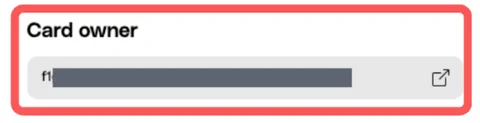
- Enter the Card owner wallet address. If you start from the Wallet page, the address should already be prefilled.
Step 2: Enter iFIL and GLF amounts
- Enter the amount of iFIL and GLF you want to add to the Card. This amount does not include the mint cost of 2000 GLF. To activate the Card, a minimum GLF to iFIL token ratio of 1:1 is required.
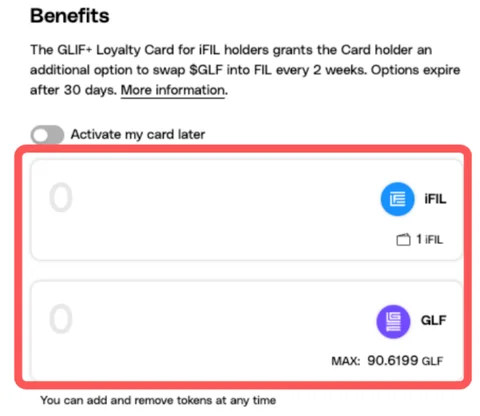
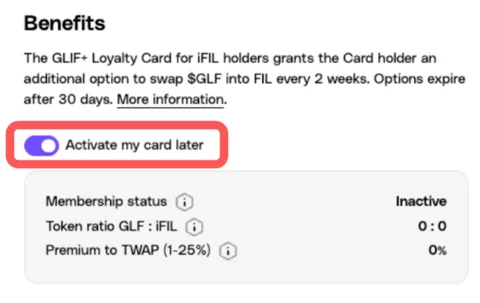
- You may also choose to activate the Card later, in which case you only need to pay the 2000 GLF mint cost.
NOTE
Make sure you have enough GLF to cover both the mint cost and the deposit.
- The 'Due now' amount on the left shows how much iFIL or GLF will be deducted from your wallet in this transaction. The 'iFIL or GLF balance remaining' on the right shows how much will be left in your wallet after the transaction is completed.

- Click 'Mint and Activate'.

Step 3: Approve token transfers
- Check the details of the card to be minted, including the cost.
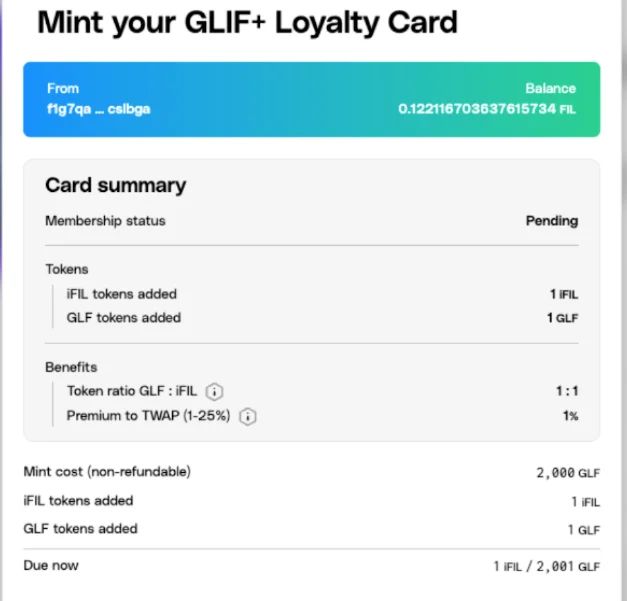
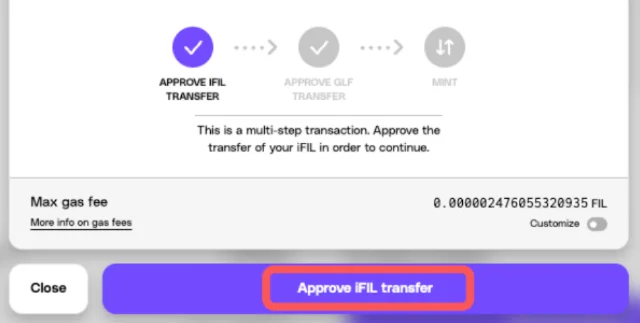
- Click 'Approve iFIL transfer'. Confirm the transaction in your wallet.
- Click 'Approve GLF transfer'. Confirm the transaction in your wallet.
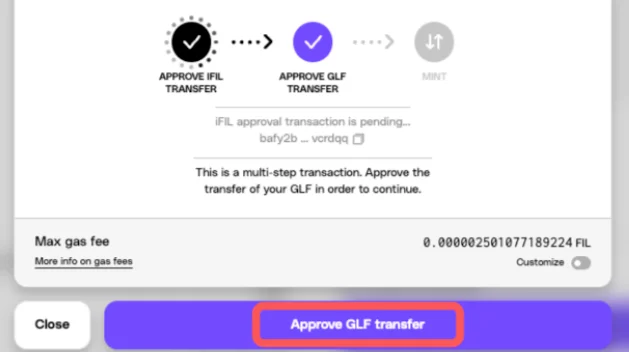
- Wait 1 to 2 minutes for both transactions to be done.
Step 4: Mint the Card
- Click 'Mint'.
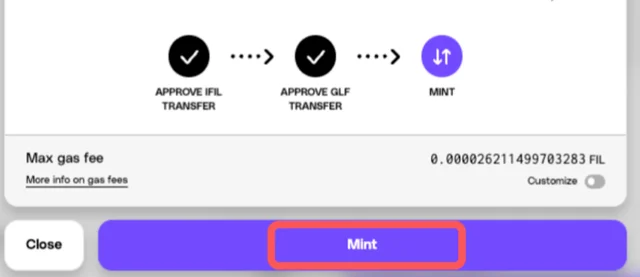
- Confirm the transaction in your wallet. Wait 1 to 2 minutes for the transaction to process.
Step 5: View your minted Card
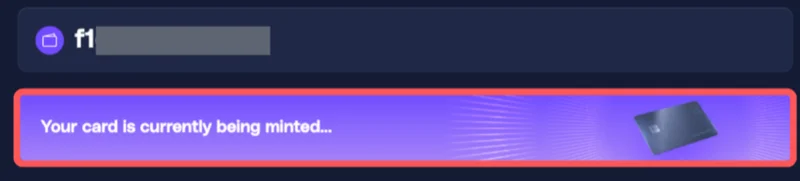
- You will be redirected back to the wallet page. The page should display: 'Your card is currently being minted.' Wait for the transaction to complete.
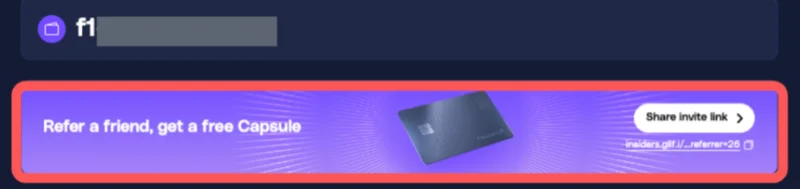
- Once the minting is complete, a banner will appear with the message: 'Refer a friend, get a free capsule.'
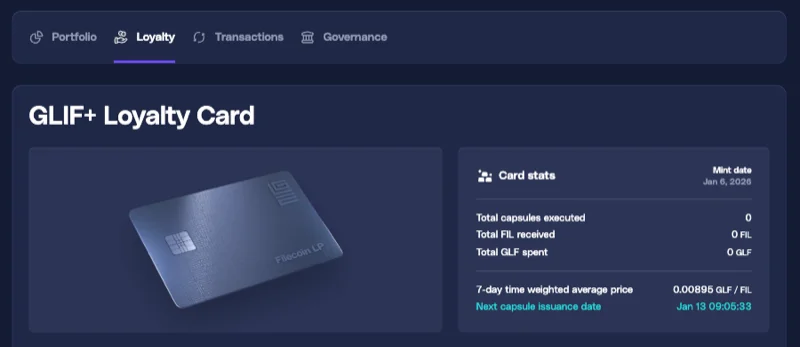
- Navigate to the Loyalty page to view your GLIF+ Loyalty Card. You will be able to see your card stats there.
Conclusion
Your GLIF+ LP Card has been successfully minted and activated. You can now manage your iFIL and GLF balances, execute FIL Capsules, and access GLIF+ LP benefits directly through your Card.
You may want to check out the other tutorials to learn more about managing your GLIF+ LP Card.
Join our community!
- 📢 Stay informed with updates on our blog and X (Twitter)
- 🤝 Connect with us through Discord and Telegram for support and partnerships
- 💬 If you encounter any difficulties, please open a Discord support ticket
- ⚠️ Beware of scammers! GLIF team members have the role “GLIF” or “Moderator”