How to withdraw FIL from GLIF using a multisig wallet
Withdrawing FIL from GLIF using a multisig wallet involves a two-step proposal process to ensure security and consensus among wallet signers. This tutorial will guide you through withdrawing your deposited FIL and converting your iFIL back to FIL.
Prerequisites
In this tutorial, a GLIF multisig wallet with deposited FIL, holding iFIL, is created. If you have not set one up yet, refer to our previous tutorial on creating a multisig wallet and depositing FIL.
Step 1: Approve the Infinity Pool to Transfer Your iFIL
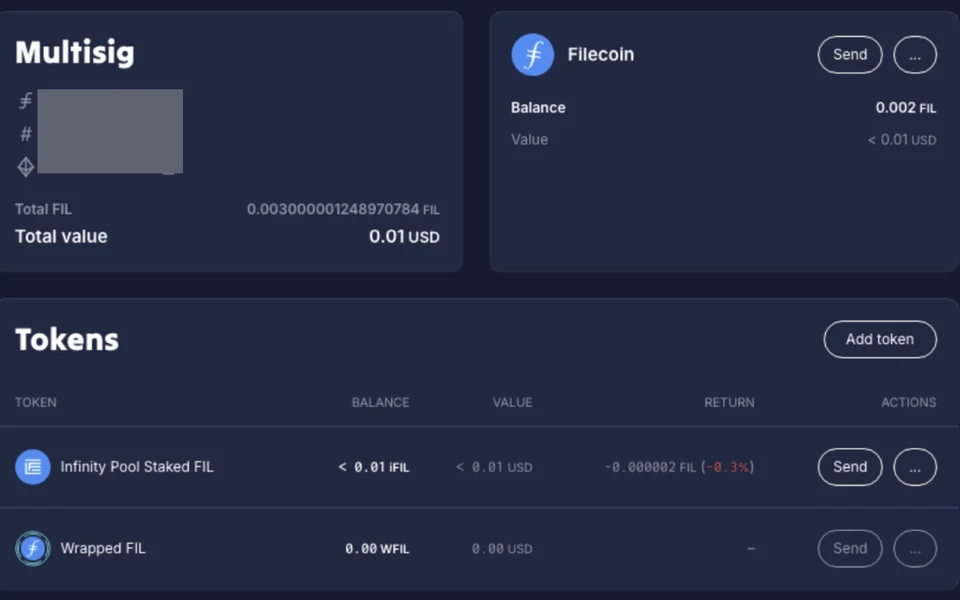
- Access your multisig wallet
Go to the GLIF website and navigate to the “Multisig” tab.

Ensure your wallet is connected and you are viewing your multisig wallet.
- Initiate the withdrawal approval
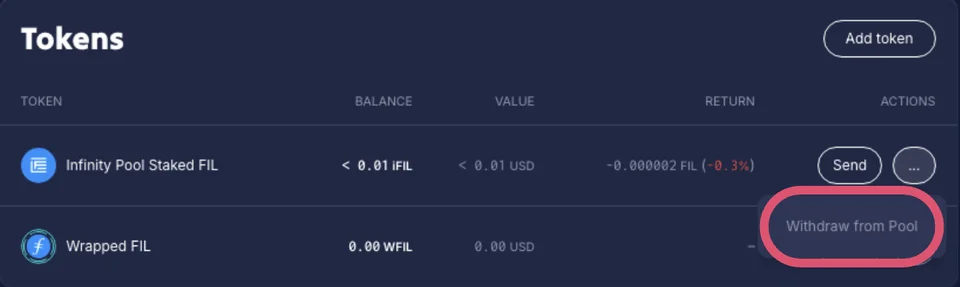
Go to the “Tokens” section, click on the “⋯” button next to your iFIL balance. Select “Withdraw from Pool” from the dropdown menu.
- Approve the iFIL transfer
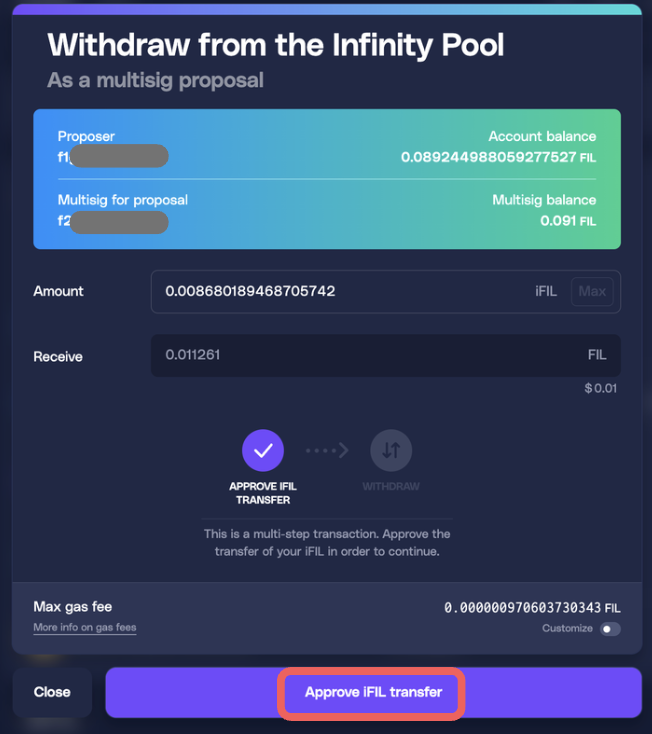
Input the amount of iFIL you wish to withdraw. Click “Approve iFIL Transfer” to allow the GLIF Pool to transfer your iFIL.
Confirm the transaction in your connected wallet to proceed.
Wait for the network to complete the transaction.
- Initiate the withdrawal
Click "Withdraw" and approve the prompt in your wallet. Confirm the transaction in your connected wallet to proceed.
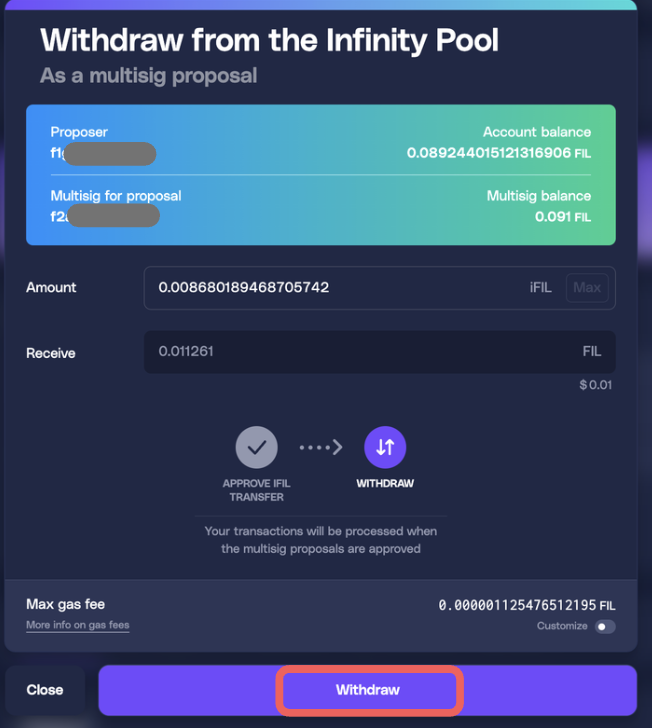
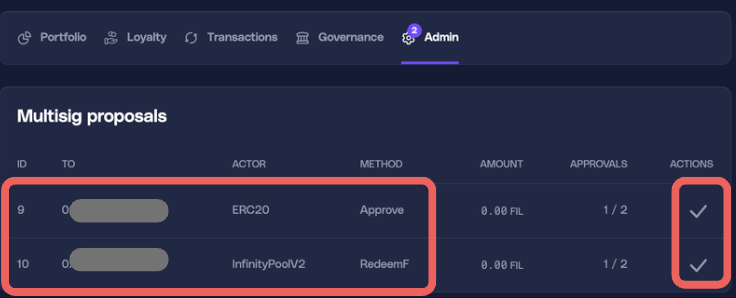
After the transaction is completed, this will automatically generate two multisig proposals: "Approve" and "RedeemF".
- Access proposals as another signer
Connect other signers's wallet, navigate to the Admin section, and locate the pending proposals. Click the check mark next to the proposals.
- Confirm the proposals
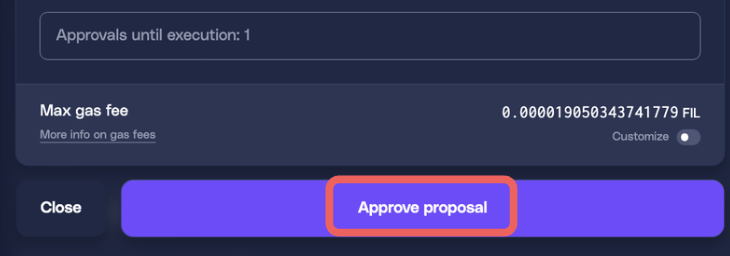
Click "Approve" and confirm in the signer’s wallet. Repeat this for all required signers.
NOTE
You must approve the "Approve" proposal before you can approve the "RedeemF" proposal.
- Complete the Withdrawal
Once the required approvals are obtained, the withdrawal transaction will be executed. Your iFIL will be converted back to FIL and deposited to your multisig wallet. Check the “Filecoin Balance” section to confirm your updated FIL balance.
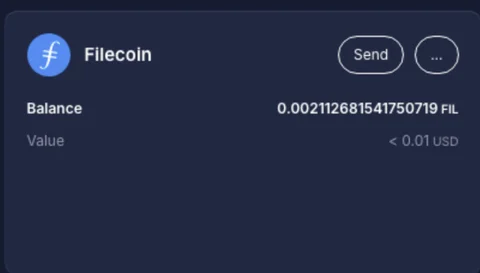
Congratulations! You have successfully withdrawn your deposited FIL from GLIF using your multisig wallet.
Conclusion
By following this step-by-step guide, you can successfully withdraw your deposited FIL in the GLIF pool using a multisig wallet.
Remember to always double-check addresses and transaction details to ensure the accuracy and security of your funds.
If you want to learn how to deposit from the GLIF pool using a multisig wallet, refer to our previous tutorial here.
Join our community!
- 📢 Stay informed with updates on our blog and X (Twitter)
- 🤝 Connect with us through Discord and Telegram for support and partnerships
- 💬 If you encounter any difficulties, please open a Discord support ticket
- ⚠️ Beware of scammers! GLIF team members have the role “GLIF” or “Moderator”