How to add or withdraw funds in your cash back vault
This tutorial explains how to add or withdraw $GLF funds from the cash back vault of your GLIF+ SP Card. The cash back vault stores the $GLF token used to cover part of your interest payments and receive FIL at a premium.
For other tutorials on managing your GLIF+ SP Card, see this page.
NOTE
You can also add or withdraw funds in your GLIF+ cash back vault using the GLIF Command Line Interface (CLI). To do so, upgrade to the latest release. You can find the instructions about the GLIF+ related command on the GLIF CLI on this page.
In this tutorial, you will be guided through the following steps:
Add funds to your cash back vault
-
Go to your Agents page and navigate to the Summary section of your Card.
-
Open the 'Cash Back Balance' section and click the arrow icon.
-
Click the downward arrow to add funds.

-
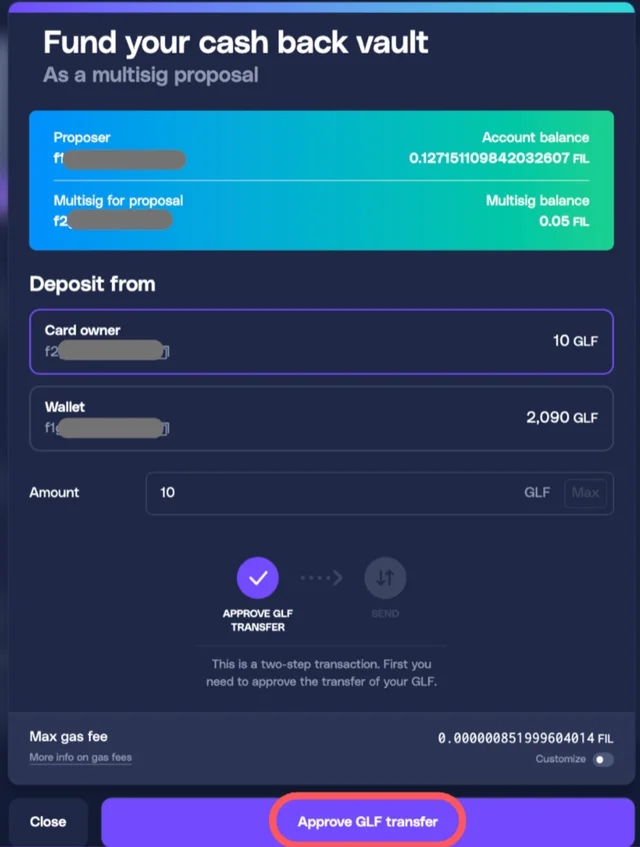
Choose the source of the deposit. You may deposit from the Card Owner (the multisig wallet) or from your connected single-signature wallet.
-
Enter the amount you want to add to the cash back vault.
-
Click 'Approve GLF Transfer' and confirm the approval request in your wallet.
WARNING
If the funding source is your single-signature wallet instead of your Card Owner (the multisig wallet), no multisig wallet proposal will be generated. The GLF balance will be sent directly to the card.
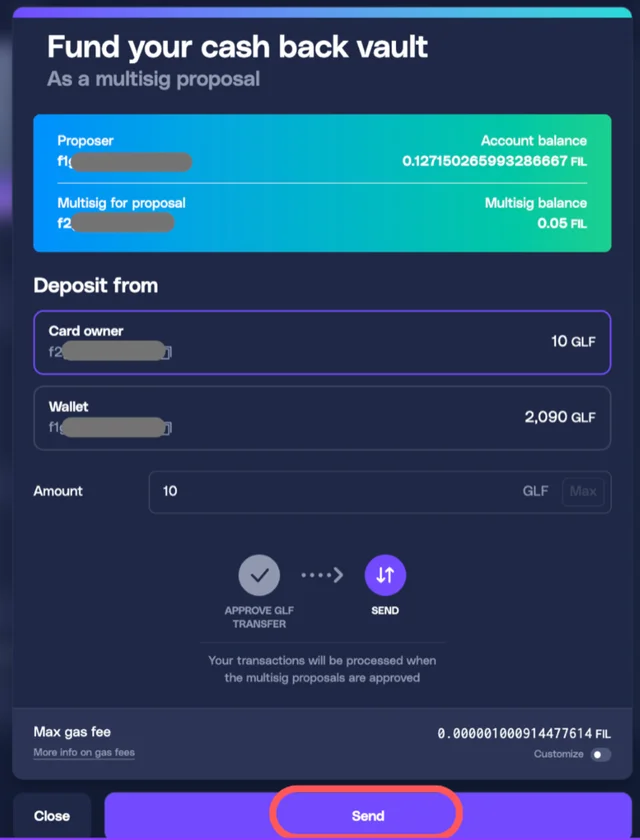
- Wait for the transaction to be processed. Then click 'Send' again to execute the actual transfer of funds. Confirm in your wallet.
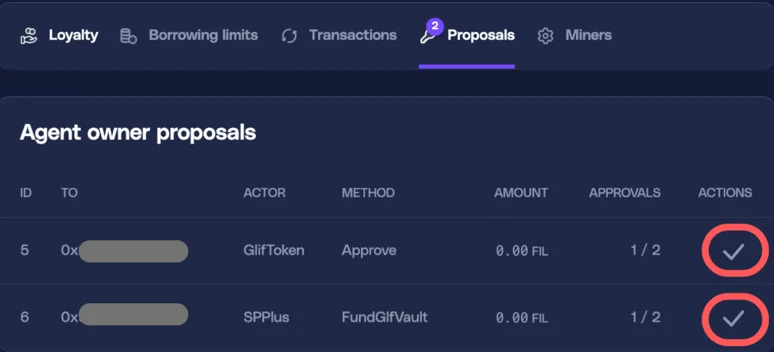
- Navigate to the Proposals tab. You will see two proposals: 'Approve' and 'FundGlfVault'.
WARNING
Approve the 'Approve' proposal first, then approve the 'FundGlfVault' proposal. Otherwise an error may occur.
-
Approve both proposals in every signer's account and confirm in the wallet. Wait 1 to 2 minutes for the on-chain process to complete.
-
Once processed, the cash back balance will be updated and the available amount increased.

Withdraw funds from your cash back vault
-
Go to your Agents page and navigate to the Summary section of your Card.
-
Open the 'Cash Back Balance' section and click the upward arrow to withdraw funds.

-
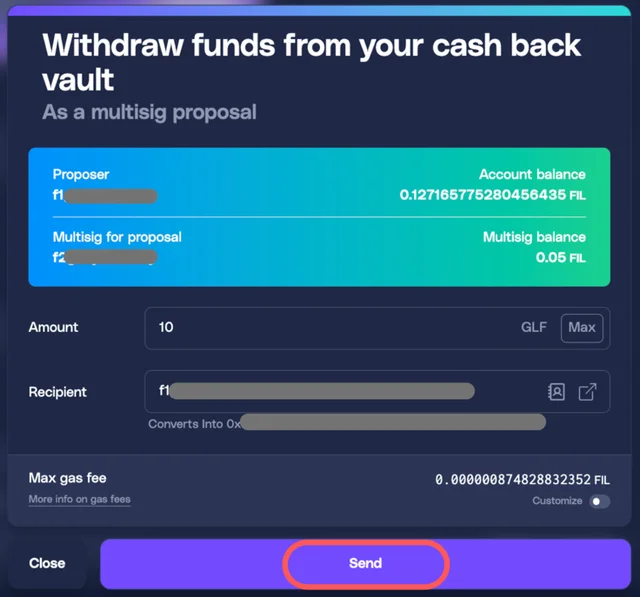
Choose the recipient of the withdrawal.
-
Enter the amount you want to remove from the cash back vault.
-
Click 'Send'.
-
Confirm in your wallet. Wait 1 to 2 minutes for the on-chain process to complete.
-
Approve the 'WithdrawGlfVault' proposal in every signer's account and confirm in the wallet.
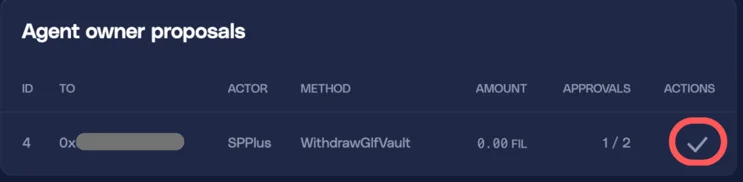
- Once processed, the cash back balance will be updated and the available amount reduced.

Conclusion
Your cash back vault has been successfully updated. You can now manage your GLF funding level and optimize how much FIL cash back you receive when paying interest with your GLIF+ SP Card.
You may want to check out the other tutorials to learn more about managing your GLIF+ SP Card.
Join our community!
- 📢 Stay informed with updates on our blog and X (Twitter)
- 🤝 Connect with us through Discord and Telegram for support and partnerships
- 💬 If you encounter any difficulties, please open a Discord support ticket
- ⚠️ Beware of scammers! GLIF team members have the role “GLIF” or “Moderator”